
Services
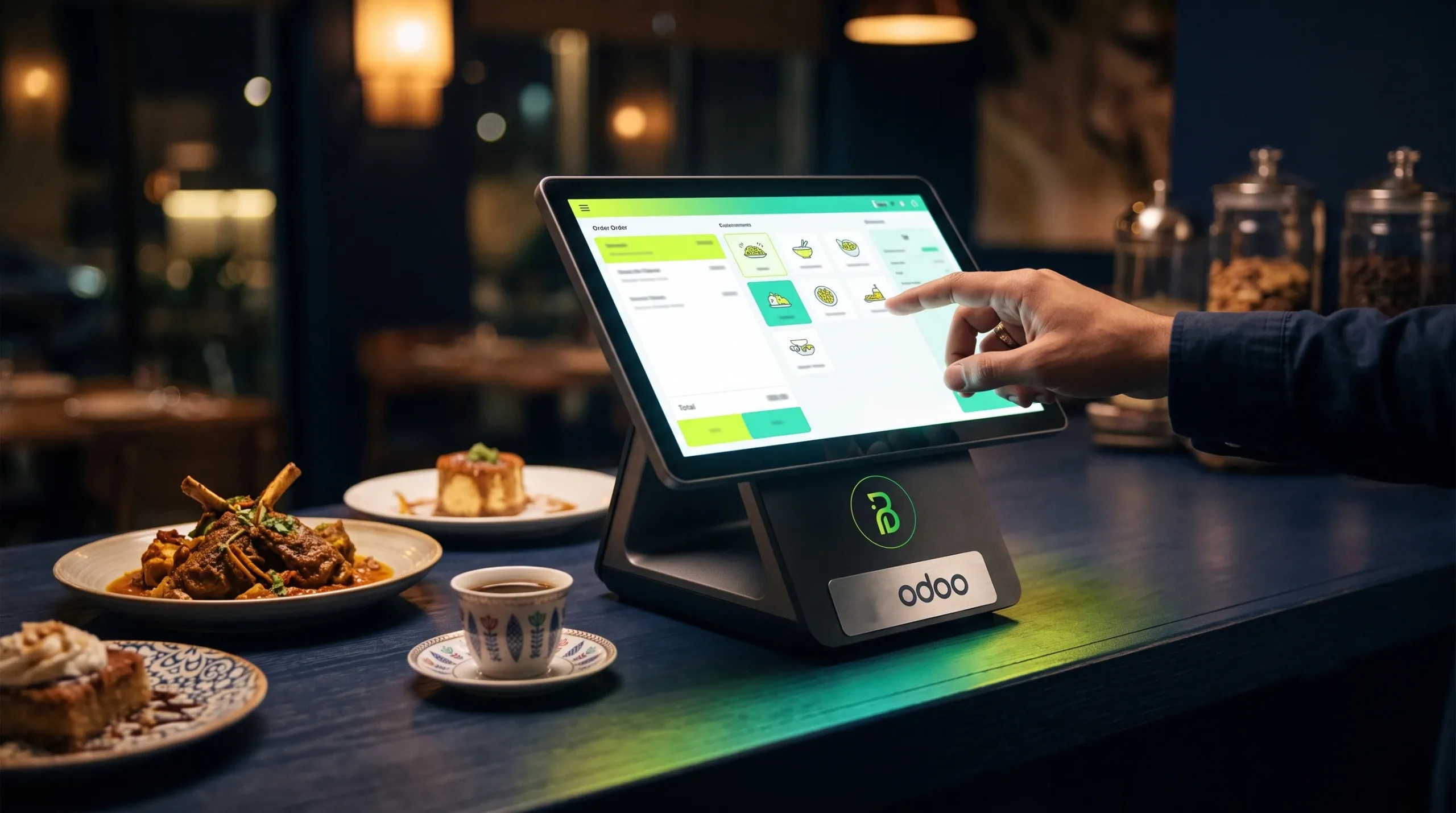
Every successful restaurant or café owner is looking for a restaurant POS system that brings the cashier, kitchen, inventory and accounting together on one screen, instead of a separate cashier device here, Excel sheets for inventory there, and an accountant chasing supplier invoices at the end of the month. The restaurant and café sector in Saudi Arabia is one of the fastest-growing sectors, driven by the Vision 2030 targets and the entertainment seasons, yet it is also one of the sectors with the most sensitive profit margins: a little inventory waste or a recurring shift error is enough to wipe out a whole month's profit. This is where Odoo comes in as a practical, integrated solution: a point of sale module designed specifically for restaurants, natively connected to inventory, recipes, accounting and e-invoicing compliant with the Zakat, Tax and Customs Authority (ZATCA). In this guide, we explain how Odoo works for restaurants and cafés, how it calculates the actual cost of every dish, and how much implementation costs in Saudi riyals, with a realistic scenario for a Saudi café chain.

Before talking about solutions, let us put our finger on the problem. Most small and medium restaurants and cafés in the Kingdom run on a fragmented setup: a traditional restaurant cashier device that only records sales, inventory counted manually every week by guesswork, delivery app orders on separate tablets, and an external accountant who receives paper invoices at the end of the month. Each part works in isolation from the others, and the result is numbers nobody trusts and decisions made by gut feeling. Here are the main challenges we hear from restaurant owners in the first analysis session:
Food is a perishable commodity, and waste comes from every direction: buying more than needed because nobody knows the actual stock balance, ingredients that expire in the storeroom, recipes prepared with random quantities that vary from one cook to another, and unrecorded losses between receiving and preparation. Industry studies estimate restaurant waste at between 4% and 10% of the value of purchases, and for a restaurant buying SAR 100 thousand worth of supplies a month, that means losing up to SAR 10 thousand every month without it appearing in any report.
When a restaurant runs on a traditional cashier system that is not connected to accounting, closing out a shift becomes a matter of personal trust: how much cash did we receive? How many card (mada) transactions? Who voided an invoice and why? Who gave a discount? The lack of an accurate digital record for each shift opens the door to unintentional errors, and sometimes to deliberate manipulation, and makes reconciling daily revenue with bank deposits a weekly ordeal.
As soon as the second branch opens, the problem multiplies: inconsistent prices, offers applied in one branch but not another, stock piling up in one branch while another apologizes to customers for sold-out items, and reports reaching the owner days late in different formats that are impossible to combine into a single picture. Managing three branches with three separate systems effectively means managing three companies.
Orders from HungerStation, Jahez and Keeta now make up a large share of Saudi restaurant sales, but they arrive on separate devices outside the cashier system: staff re-enter the order manually, inventory is not deducted, commissions do not appear in profitability calculations, and nobody knows precisely whether delivery orders are actually profitable after commission and packaging, or whether they are draining the kitchen during peak hours.
The most critical question most restaurant owners cannot answer: how much does this dish actually cost us today? Ingredient prices change every week, while menu prices stay the same as on opening day. The result is items sold at a silent loss and other profitable items that get no promotion at all, because the menu is managed by taste, not by numbers.
Odoo is a global open-source ERP platform used by more than 12 million users, with more than 40 integrated apps running on a single database. Its point of sale module is not a generic cashier that has been modified; it includes a dedicated Restaurant Mode that covers the full service cycle, from taking the order to collecting payment. If you want to understand the Odoo platform as a whole before diving into the restaurant sector, we recommend reading the comprehensive guide to Odoo ERP for Saudi companies, and you can also look at another sector's experience in our article on the Odoo Car Dealership Management System in Saudi Arabia to see how flexibly the platform adapts to specific sectors. As for what Odoo's restaurant POS system offers specifically, here are the details:
The cashier interface is touch-based and in Arabic, organized by menu sections (hot drinks, cold drinks, desserts, meals), with support for variants and add-ons: cup size, milk type, roast level, an extra espresso shot. An order is recorded in seconds, tax is applied automatically, and the system supports splitting the bill among friends, mixed payments (cash + card) and permission-controlled discounts, so no discount is given beyond the allowed limits or without manager approval.
As soon as an order is confirmed at the cashier, it appears instantly on the Kitchen Display System, divided by preparation station: the bar sees the drinks and the hot kitchen sees the meals. Each order carries its time, its source (dine-in, takeaway, delivery) and the customer's notes, and the cook changes its status with a tap: in preparation, ready. The result: no lost paper tickets, no forgotten orders, and an accurate measure of the average preparation time for each item, a golden figure for improving the customer experience during peak hours.
A visual floor plan with your tables laid out exactly as they are in reality: the waiter opens a table from a phone or tablet, takes the order right at the customer's side, adds to it later without voiding anything, moves customers from one table to another with a tap, and the manager sees floor occupancy in real time. The module also supports assigning the waiter responsible for each table, which makes it possible to measure the service team's performance and distribute tips fairly.
One of the most important things that sets Odoo apart as a restaurant cashier system is that it keeps working without an internet connection; orders and payments are recorded locally on the device, and once the connection returns they sync automatically with the central system. A network outage no longer means sales stop or a return to the paper ledger.
Odoo does not force you to buy expensive proprietary hardware; the cashier screen runs in the browser on any touch device, computer or iPad, and connects to the receipt printers, cash drawers and barcode scanners common in the market. This means many restaurants move to Odoo with the very hardware they already have, which noticeably lowers the startup cost.
This is where Odoo outperforms any traditional restaurant cashier, and this is the point that turns the system from a sales recording tool into an integrated restaurant management software that protects your profit margin:
Each menu item is defined with a precise recipe (Bill of Materials): a medium latte = 18 grams of coffee + 220 ml of milk + a paper cup + a lid + a sleeve. When the cup is sold at the cashier, the system automatically deducts these ingredients from inventory at the moment of sale. No daily manual counts and no eyeballing; the theoretical stock balance updates with every invoice.
Because purchases are recorded in the same system at their real prices, Odoo calculates the cost of each recipe using up-to-date ingredient prices and shows you the actual profit margin of every item on the menu. Did the supplier raise the price of coffee or milk? You will immediately see which items' margins dropped and need repricing. This is "menu engineering" by the numbers: you know the stars of your menu (high sales and high margin) and the loss-making items that deserve to be removed or adjusted.
By comparing the theoretical balance (what should have remained according to the recipes) with the periodic physical count, the difference becomes clear: preparation loss, waste or unrecorded consumption. With variance reports for each ingredient, management knows exactly where profit is leaking, in which branch's kitchen and in which shift, instead of settling for a general feeling that "expenses are high".
The system sets a reorder point for each ingredient, and when the balance is about to run out, it automatically creates a purchase order for the approved supplier. Goodbye to the panicked Friday-morning call because the milk ran out at the height of the season, and goodbye to piling up supplies that expire because someone bought them "just in case" for no reason.

Are you ready to run your company on Odoo ERP?
Get a free assessment of your restaurant's or café's needs from Bateel Tech's Odoo specialist team.
This point alone is reason enough for many restaurants to move to Odoo. Since the Zakat, Tax and Customs Authority (ZATCA) made e-invoicing mandatory in its two phases, every restaurant and café has been required to issue compliant electronic invoices with a QR code, and businesses covered by the integration phase must connect their systems directly to the "FATOORA" platform. Odoo meets these requirements: every invoice issued from the cashier is a compliant simplified tax invoice with a QR code and an accurate VAT calculation, while business invoices (group orders and catering) are issued as full tax invoices in the approved XML format. Most importantly, all of this happens automatically inside the system itself: no separate invoicing software, no double entry, and no surprise penalties starting at thousands of riyals on the first inspection visit.
If you run more than one branch, or plan to expand, these are the strongest advantages of choosing Odoo as a central restaurant management software instead of scattered cashier systems:
This shift toward centralized platforms is not a luxury; it is the essence of the digital transformation driven by Vision 2030 in the Saudi hospitality and retail sector, where brands compete on operational efficiency as much as on product quality.
One of Odoo's biggest advantages is that you do not buy a huge system all at once; you start with the core modules and add the rest as your business grows, and they all run on a single database. This table summarizes the recommended modules for a Saudi restaurant or café and the role of each:
| Module | Its role in the restaurant or café | Priority |
|---|---|---|
| Point of Sale (POS – Restaurant) | Cashier screen, tables, split bills, shifts, offline operation | Essential |
| Kitchen Display (KDS) | Real-time order display in the kitchen and bar, and preparation time tracking | Essential |
| Inventory | Ingredient balances, automatic deduction by recipe, stock counts, shortage alerts | Essential |
| Accounting | ZATCA e-invoicing, VAT, financial statements | Essential |
| Purchase | Purchase orders to suppliers, price comparison, automatic purchasing when stock runs low | Important |
| Manufacturing | Item recipes, ingredient lists and actual cost-per-dish calculation | Important |
| Human Resources (HR) | Shift schedules, attendance, payroll | Important |
| Loyalty and Promotions | Loyalty points, coupons, and "buy and get" offers to increase visit frequency | Optional |
| Dashboards | Real-time indicators: branch sales, item margins, waste, peak hours | Important |
The system can also be connected to delivery platforms and local payment methods through ready-made integrations or custom development, so delivery orders go to the same kitchen screen, their inventory is deducted automatically and their commissions are counted in profitability reports. The loyalty module also lets you launch a points program under your own brand that runs directly from the cashier without intermediary apps, which increases visit frequency, the most important growth indicator for cafés, at almost no cost.
The cost depends on three factors: the number of branches and points of sale, the size of the menu and recipes, and the depth of the required integrations (delivery platforms, payment gateways, loyalty). As indicative figures for the Saudi market:
On top of that comes the annual Odoo license subscription per user, with the open-source Community edition available for those who want to reduce running costs, plus the point of sale hardware itself (touchscreens, receipt printers, cash drawers), which usually ranges between SAR 3,000 and 8,000 per branch depending on quality. We have detailed the factors that raise or lower the cost and how to choose the right package in our article on the Odoo implementation cost in Saudi Arabia, so refer to it before approving your budget.
To put the numbers in context: a restaurant that buys SAR 80 thousand worth of supplies a month and cuts waste by just 5% saves SAR 48 thousand a year. In other words, a restaurant POS system pays for itself from the waste line alone within the first year, before counting the impact of disciplined shifts, repricing loss-making items and reducing tax penalties.
Typical duration: 3 to 6 weeks for a single branch, and two to three months for multi-branch chains.
Let us imagine "Deem Café", a young Saudi chain with three branches in Riyadh (Al Narjis, Al Yasmin, and a fuel station on King Salman Road), with 25 employees and combined monthly sales of around SAR 450 thousand. Before Odoo, the picture was a familiar one: three unconnected cashier devices, a supervisor collecting branch figures every evening in a WhatsApp group, a weekly pen-and-paper stock count showing discrepancies nobody could explain, and delivery orders on separate tablets that were retyped manually and forgotten at peak times.
After implementing Odoo for restaurants with its core modules, the day-to-day details themselves changed: the menu is unified and offers go live in all three branches with a single click. Every cup sold deducts its ingredients automatically, which revealed that the fuel station branch was using 12% more milk than its standard recipes called for, a preparation gap fixed with simple training that saved thousands of riyals. The item margin report revealed that the best-selling "iced Spanish latte" had the lowest margin because of an imported ingredient, so it was re-engineered without customers noticing any difference. Shift closings became documented with almost no cash discrepancies, and compliant QR invoices ended the anxiety about inspections. The result after six months: waste dropped from around 8% to 3%, and net monthly profit rose by around 15%, with the same branches and the same team.
And the next step for a chain like "Deem"? Linking cashier data to a loyalty program and targeted campaigns for slow off-peak hours. This is what we deliver through the Odoo ERP development service from Bateel Tech, turning sales figures into campaigns that reach the right customers with the right offer.
Yes. Odoo's point of sale module includes a kitchen screen that displays orders the moment they are confirmed at the cashier or from the customer's table, divided by preparation station (bar, hot kitchen, desserts), with the status of each order and its waiting time, which eliminates paper tickets and reduces errors during peak hours.
Yes. The point of sale screen keeps recording orders and payments locally when the internet goes down, and when the connection returns, all transactions sync automatically with the central system and accounting, so sales never stop and no invoice is lost.
Yes. Odoo meets the requirements of the Zakat, Tax and Customs Authority (ZATCA): it issues simplified tax invoices with a QR code directly from the cashier and full tax invoices in XML format for businesses, and it supports integration with the FATOORA platform in the integration phase. At Bateel, we handle setting up and testing this integration as part of the implementation project.
Yes, through integrations and APIs built for each platform, so delivery orders go straight to the kitchen screen, their inventory is deducted automatically and their commissions appear in profitability reports, instead of being re-entered manually from separate devices.
Usually 3 to 6 weeks from the start of analysis to launch, including building the menu and recipes, setting up inventory and e-invoicing, and training the team. Multi-branch chains usually need two to three months with a gradual rollout.
The difference between a restaurant that expands with confidence and one that fights to survive is not the quality of the coffee alone, but the system that runs things behind the scenes. At Bateel Tech Solutions, your Saudi technology partner in Riyadh, we implement a restaurant POS system on Odoo from A to Z: analyzing your operations, building your menu and recipes, connecting e-invoicing, training your team in Arabic, and providing ongoing support after launch. Book a free consultation session now, in which we analyze the current state of your restaurant or café and map out the implementation and its cost with complete transparency.
Contact us directly on WhatsApp: 966537272445+
or through the Contact Us — Bateel Technology Solutions, your Saudi partner for implementing Odoo ERP.
